由于之前使用tiup playgroup安装过tidb集群,没有把tidb socket清理干净,导致后面使用tidb用户启动tidb出现权限不足错误。即:集群安装过程执行tiup cluster start sjkywzd --init出现了以下报错,tidb节点状态为Down。
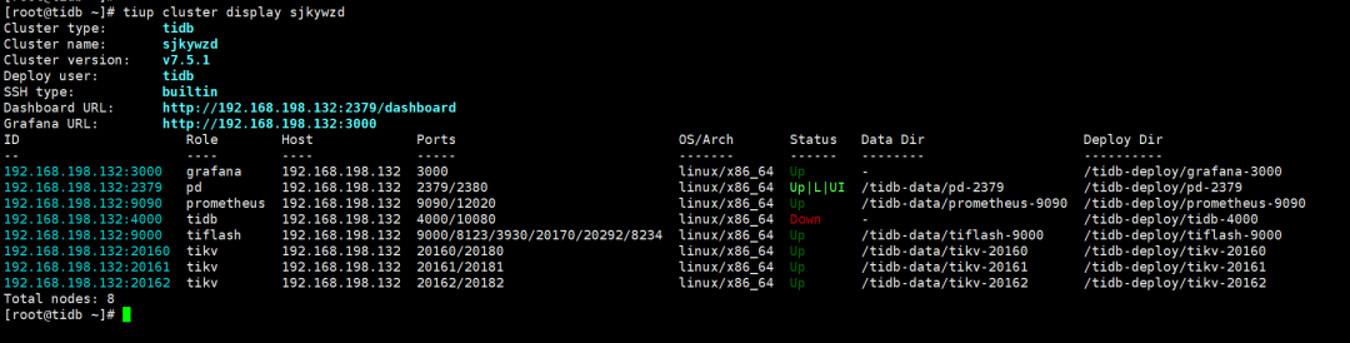
tiup cluster start sjkywzd --init
弹出报错(中间部分省略)
Started cluster
sjkywzd successfullyFailed to set root password of TiDB database to ‘d+Qi61vhT@2*8b^A09’
Error: dial tcp 192.168.198.132:4000: connect: connection refused
Verbose debug logs has been written to /root/.tiup/logs/tiup-cluster-debug-2024-04-26-16-08-55.log.
找原因
检查防火墙处于关闭状态
查看tidb进程是否存在:ps -ef|grep tidb-server
检查 4000端口是否被占用:ss -lnp|grep 4000
检查tidb运行日志:cd /tidb-deploy/tidb-4000/log
tail -20 tidb.log
发现/tmp/tidb-4000.sock文件没权限删除。
手动删除:rm -rf /tmp/tidb-4000.sock