【 TiDB 使用环境`】生产迁移
【 TiDB 版本】v4.0.9
【遇到的问题】 br恢复不完整报错
【复现路径】重启fiflash
【问题现象及影响】
br恢复显示条显示100%,我查看恢复日志显示报错Error: rpc error: code = Unavailable desc = transport is closing
;我重新再一次恢复还是一样。我以为是中断了,所以放到后台执行。然后显示
Error: rpc error: code = Unavailable desc = connection error: desc = “transport: Error while dialing dial tcp xxx:xxx:xxx:xxx:20170
connect: connection refused”
显示tiflash拒绝连接,我查看集群的状态发现tiflash 是Disconnected状态。然后我试图重启tiflash,但是还是一样起不来。
tiflash_error.log (182.3 KB) tiflash_cluster_manager.log (156 字节) tiflash.log (14.9 MB)
[2022/05/06 21:41:12.168 +08:00] [ERROR] [] ["DB::TiFlashApplyRes DB::HandleWriteRaftCmd(const DB::TiFlashServer*, DB::WriteCmdsView, DB::RaftCmdHeader): Code: 49, e.displayText() = DB::Exception: Handle: 1907419728, Prewrite ts: 432582583998218314 can not found in default cf for key
tiflash 一直因为这个报错在重启,确认下这个报错是 BR 恢复前就产生的,还是恢复过程中产生的
1 个赞
HandleWriteRaftCmd 看起来不是 BR 恢复需要执行的逻辑。
这个集群是否在恢复过程中也在提供服务?
在之前的版本有类似的问题, BR 恢复到 tiflash 的数据不是原子的,这个时候提供服务可能会造成上面的错误。参考 https://github.com/pingcap/tiflash/issues/1691
如果恢复过程有其他的写入,建议先关闭 tiflash 副本,等恢复完成后再打开
是br恢复后产生的,没有提供其他的服务,这个集群是我新搭建的新的集群。只有br恢复业务。没有其他的
昨天晚上,因为是tiflash问题,无法恢复。所以我tiflash强制缩容了,然后再次恢复,恢复成功了。恢复成功之后,我讲tiflash的表都设置为0.然后我再次扩容,tiflash。但是扩容成功后,无法启动tiflash。状态是Offline的。
现在看,日志打印了一推,
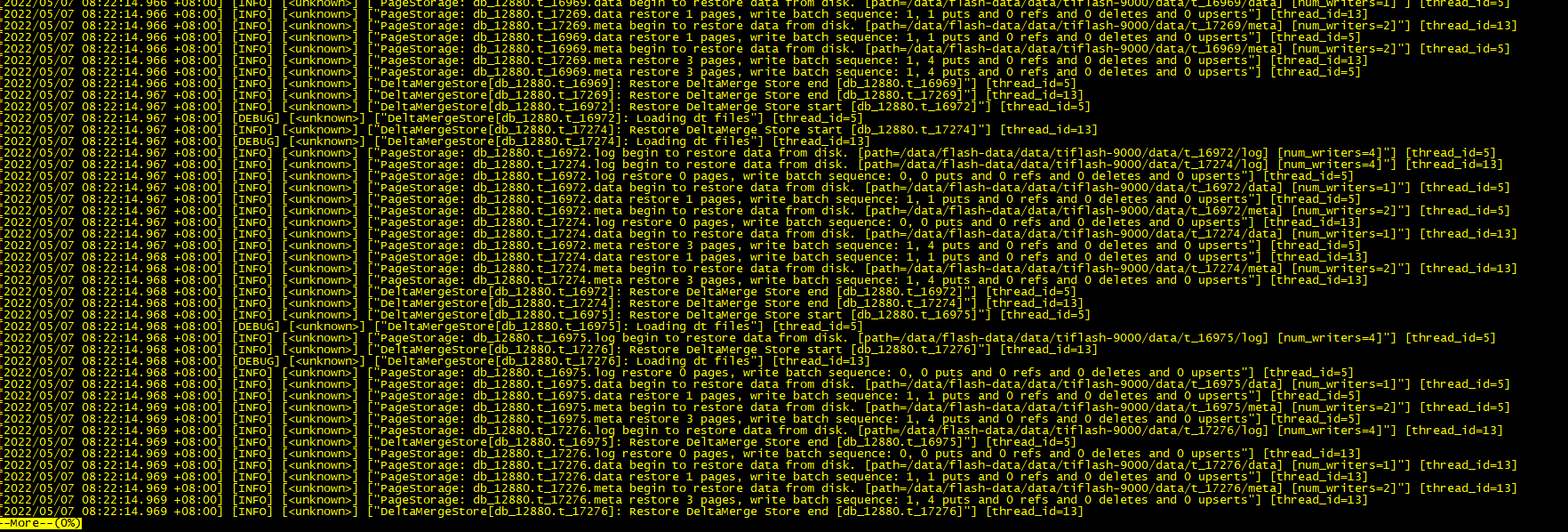
这个日志看起来应该是正常的,tiflash 有没有报错日志
[2022/05/07 10:21:33.318 +08:00] [ERROR] [util.rs:347] [“request failed”] [err_code=KV:PD:gRPC] [err=“Grpc(RpcFailure(RpcStatus { status: 2-UNKNOWN, details: Some(“duplicated store address: id:306121 address:\“xxx.xxx.xxx.xxx:3930\” labels:<key:\“engine\” value:\“tiflash\” > version:\“v4.0.9\” peer_address:\“xxx.xxx.xxx.xxx:20170\” status_address:\“xxx.xxx.xxx.xxx:20292\” git_hash:\“a5e2d6355cabadda12f35da7a93f531c3b2f7a10\” start_timestamp:1651890093 deploy_path:\”/data/flash-data/deploy/tiflash-9000/bin/tiflash\” , already registered by id:62 address:\“xxx.xxx.xxx.xxx:3930\” state:Offline labels:<key:\“engine\” value:\“tiflash\” > version:\“v4.0.9\” peer_address:\“xxx.xxx.xxx.xxx:20170\” status_address:\“xxx.xxx.xxx.xxx:20292\” git_hash:\“a5e2d6355cabadda12f35da7a93f531c3b2f7a10\” start_timestamp:1651846217 deploy_path:\"/data/flash-data/deploy/tiflash-9000/bin/tiflash\" last_heartbeat:1651843053653243390 “) }))”]
有报错的,启动一直报错。Error: failed to start tiflash: failed to start: tiflash-9000.service, please check the instance’s log(/data/flash-data/deploy/tiflash-9000/log) for more detail.: timed out waiting for port 9000 to be started after 2m0s
麻烦用 pd ctrl 查看当前集群中节点的状态
store
确认下新扩容 tiflash 节点的地址、端口是否与已有节点重合。
没有重合ip 和端口,因为我单独建集群加上tiflash都是可以成功的。请问如何使用pd ctrl 查询集群节点状态
可以参考官方文档
https://docs.pingcap.com/zh/tidb/stable/pd-control#pd-control-使用说明
或者直接通过 http api:http://{pd-addr}/pd/api/v1/stores
Starting component ctl: /home/tidb/.tiup/components/ctl/v4.0.9/ctl /home/tidb/.tiup/components/ctl/v4.0.9/ctl pd store -u http://xxx.xxx.xxx.102:2379
{
“count”: 9,
“stores”: [
{
“store”: {
“id”: 3,
“address”: “xxx.xxx.xxx.105:20160”,
“version”: “4.0.9”,
“status_address”: “xxx.xxx.xxx.105:20180”,
“git_hash”: “18dec72b12eafdc40a463eee8f6c32594ee4a9ff”,
“start_timestamp”: 1651843730,
“deploy_path”: “/data/tikv-data/deploy/tikv-20160/bin”,
“last_heartbeat”: 1651893019120033951,
“state_name”: “Up”
},
“status”: {
“capacity”: “984.2GiB”,
“available”: “939.5GiB”,
“used_size”: “34.85GiB”,
“leader_count”: 1713,
“leader_weight”: 1,
“leader_score”: 1713,
“leader_size”: 53435,
“region_count”: 4913,
“region_weight”: 1,
“region_score”: 161064,
“region_size”: 161064,
“start_ts”: “2022-05-06T21:28:50+08:00”,
“last_heartbeat_ts”: “2022-05-07T11:10:19.120033951+08:00”,
“uptime”: “13h41m29.120033951s”
}
},
{
“store”: {
“id”: 4,
“address”: “xxx.xxx.xxx.107:20160”,
“version”: “4.0.9”,
“status_address”: “xxx.xxx.xxx.107:20180”,
“git_hash”: “18dec72b12eafdc40a463eee8f6c32594ee4a9ff”,
“start_timestamp”: 1651843730,
“deploy_path”: “/data/tikv-data/deploy/tikv-20160/bin”,
“last_heartbeat”: 1651893019114276506,
“state_name”: “Up”
},
“status”: {
“capacity”: “984.2GiB”,
“available”: “936.6GiB”,
“used_size”: “34.69GiB”,
“leader_count”: 1709,
“leader_weight”: 1,
“leader_score”: 1709,
“leader_size”: 49564,
“region_count”: 5357,
“region_weight”: 1,
“region_score”: 161527,
“region_size”: 161527,
“start_ts”: “2022-05-06T21:28:50+08:00”,
“last_heartbeat_ts”: “2022-05-07T11:10:19.114276506+08:00”,
“uptime”: “13h41m29.114276506s”
}
},
{
“store”: {
“id”: 5,
“address”: “xxx.xxx.xxx.115:20160”,
“version”: “4.0.9”,
“status_address”: “xxx.xxx.xxx.115:20180”,
“git_hash”: “18dec72b12eafdc40a463eee8f6c32594ee4a9ff”,
“start_timestamp”: 1651843730,
“deploy_path”: “/data/tikv-data/deploy/tikv-20160/bin”,
“last_heartbeat”: 1651893019225668316,
“state_name”: “Up”
},
“status”: {
“capacity”: “984.2GiB”,
“available”: “938.9GiB”,
“used_size”: “34.41GiB”,
“leader_count”: 1710,
“leader_weight”: 1,
“leader_score”: 1710,
“leader_size”: 55502,
“region_count”: 5643,
“region_weight”: 1,
“region_score”: 160213,
“region_size”: 160213,
“start_ts”: “2022-05-06T21:28:50+08:00”,
“last_heartbeat_ts”: “2022-05-07T11:10:19.225668316+08:00”,
“uptime”: “13h41m29.225668316s”
}
},
{
“store”: {
“id”: 12,
“address”: “xxx.xxx.xxx.113:20160”,
“version”: “4.0.9”,
“status_address”: “xxx.xxx.xxx.113:20180”,
“git_hash”: “18dec72b12eafdc40a463eee8f6c32594ee4a9ff”,
“start_timestamp”: 1651843730,
“deploy_path”: “/data/tikv-data/deploy/tikv-20160/bin”,
“last_heartbeat”: 1651893019410956800,
“state_name”: “Up”
},
“status”: {
“capacity”: “984.2GiB”,
“available”: “939.4GiB”,
“used_size”: “34.66GiB”,
“leader_count”: 1707,
“leader_weight”: 1,
“leader_score”: 1707,
“leader_size”: 53666,
“region_count”: 4534,
“region_weight”: 1,
“region_score”: 160725,
“region_size”: 160725,
“start_ts”: “2022-05-06T21:28:50+08:00”,
“last_heartbeat_ts”: “2022-05-07T11:10:19.4109568+08:00”,
“uptime”: “13h41m29.4109568s”
}
},
{
“store”: {
“id”: 62,
“address”: “xxx.xxx.xxx.111:3930”,
“state”: 1,
“labels”: [
{
“key”: “engine”,
“value”: “tiflash”
}
],
“version”: “v4.0.9”,
“peer_address”: “xxx.xxx.xxx.111:20170”,
“status_address”: “xxx.xxx.xxx.111:20292”,
“git_hash”: “a5e2d6355cabadda12f35da7a93f531c3b2f7a10”,
“start_timestamp”: 1651846217,
“deploy_path”: “/data/flash-data/deploy/tiflash-9000/bin/tiflash”,
“last_heartbeat”: 1651843053653243390,
“state_name”: “Offline”
},
“status”: {
“capacity”: “0B”,
“available”: “0B”,
“used_size”: “0B”,
“leader_count”: 0,
“leader_weight”: 1,
“leader_score”: 0,
“leader_size”: 0,
“region_count”: 1301,
“region_weight”: 1,
“region_score”: 1301,
“region_size”: 1301,
“start_ts”: “2022-05-06T22:10:17+08:00”,
“last_heartbeat_ts”: “2022-05-06T21:17:33.65324339+08:00”
}
},
{
“store”: {
“id”: 1,
“address”: “xxx.xxx.xxx.114:20160”,
“version”: “4.0.9”,
“status_address”: “xxx.xxx.xxx.114:20180”,
“git_hash”: “18dec72b12eafdc40a463eee8f6c32594ee4a9ff”,
“start_timestamp”: 1651843730,
“deploy_path”: “/data/tikv-data/deploy/tikv-20160/bin”,
“last_heartbeat”: 1651893018820838582,
“state_name”: “Up”
},
“status”: {
“capacity”: “984.2GiB”,
“available”: “938GiB”,
“used_size”: “35.18GiB”,
“leader_count”: 1707,
“leader_weight”: 1,
“leader_score”: 1707,
“leader_size”: 54580,
“region_count”: 5524,
“region_weight”: 1,
“region_score”: 161096,
“region_size”: 161096,
“start_ts”: “2022-05-06T21:28:50+08:00”,
“last_heartbeat_ts”: “2022-05-07T11:10:18.820838582+08:00”,
“uptime”: “13h41m28.820838582s”
}
},
{
“store”: {
“id”: 2,
“address”: “xxx.xxx.xxx.116:20160”,
“version”: “4.0.9”,
“status_address”: “xxx.xxx.xxx.116:20180”,
“git_hash”: “18dec72b12eafdc40a463eee8f6c32594ee4a9ff”,
“start_timestamp”: 1651843729,
“deploy_path”: “/data/tikv-data/deploy/tikv-20160/bin”,
“last_heartbeat”: 1651893018275234086,
“state_name”: “Up”
},
“status”: {
“capacity”: “984.2GiB”,
“available”: “937.9GiB”,
“used_size”: “34.25GiB”,
“leader_count”: 1711,
“leader_weight”: 1,
“leader_score”: 1711,
“leader_size”: 52258,
“region_count”: 5557,
“region_weight”: 1,
“region_score”: 160882,
“region_size”: 160882,
“start_ts”: “2022-05-06T21:28:49+08:00”,
“last_heartbeat_ts”: “2022-05-07T11:10:18.275234086+08:00”,
“uptime”: “13h41m29.275234086s”
}
},
{
“store”: {
“id”: 6,
“address”: “xxx.xxx.xxx.106:20160”,
“version”: “4.0.9”,
“status_address”: “xxx.xxx.xxx.106:20180”,
“git_hash”: “18dec72b12eafdc40a463eee8f6c32594ee4a9ff”,
“start_timestamp”: 1651843729,
“deploy_path”: “/data/tikv-data/deploy/tikv-20160/bin”,
“last_heartbeat”: 1651893018322395076,
“state_name”: “Up”
},
“status”: {
“capacity”: “984.2GiB”,
“available”: “935.2GiB”,
“used_size”: “34.7GiB”,
“leader_count”: 1712,
“leader_weight”: 1,
“leader_score”: 1712,
“leader_size”: 56685,
“region_count”: 4379,
“region_weight”: 1,
“region_score”: 161563,
“region_size”: 161563,
“start_ts”: “2022-05-06T21:28:49+08:00”,
“last_heartbeat_ts”: “2022-05-07T11:10:18.322395076+08:00”,
“uptime”: “13h41m29.322395076s”
}
},
{
“store”: {
“id”: 63,
“address”: “xxx.xxx.xxx.117:3930”,
“state”: 1,
“labels”: [
{
“key”: “engine”,
“value”: “tiflash”
}
],
“version”: “v4.0.9”,
“peer_address”: “xxx.xxx.xxx.117:20170”,
“status_address”: “xxx.xxx.xxx.117:20292”,
“git_hash”: “a5e2d6355cabadda12f35da7a93f531c3b2f7a10”,
“start_timestamp”: 1651846255,
“deploy_path”: “/data/flash-data/deploy/tiflash-9000/bin/tiflash”,
“last_heartbeat”: 1651843173381967645,
“state_name”: “Offline”
},
“status”: {
“capacity”: “0B”,
“available”: “0B”,
“used_size”: “0B”,
“leader_count”: 0,
“leader_weight”: 1,
“leader_score”: 0,
“leader_size”: 0,
“region_count”: 1301,
“region_weight”: 1,
“region_score”: 1301,
“region_size”: 1301,
“start_ts”: “2022-05-06T22:10:55+08:00”,
“last_heartbeat_ts”: “2022-05-06T21:19:33.381967645+08:00”
}
}
]
}
请确认下新扩容的节点配置是不是与这个重合,如果要复用配置,需要等状态从 Offline 变成 Tombstone 或者该信息在 pd 的 store 列表里消失。
您说的配置重合是什么意思,一下是我2台的tiflash扩容文件。按照这个扩容的
tiflash_servers:
- host: XXX.xxx.xxx.111
deploy_dir: “/data/flash-data/deploy/tiflash-9000”
data_dir: “/data/flash-data/data/tiflash-9000”
log_dir: “/data/flash-data/deploy/tiflash-9000/log” - host: XXX.xxx.xxx.117
deploy_dir: “/data/flash-data/deploy/tiflash-9000”
data_dir: “/data/flash-data/data/tiflash-9000”
log_dir: “/data/flash-data/deploy/tiflash-9000/log”
是不是一开始我就是用这2台机器搭建的集群tiflash,然后因为br恢复导致的tiflash报错,tiflash2台机器挂了,无法正常缩容,然后我将这2台tiflash强制缩容,。然后继续br恢复。等恢复成功了之后,我再进行扩容tiflash。但是此时集群里面已经有这2台tiflash的信息保存在里面了。所以无法启动。是这个意思吗
那我现在要怎么样才能将sorte里面的tiflash变为正常模式呢
现在我将异常的2台tiflash缩容掉了。但是我在集群信息里面,还是可以看到tiflash的信息,并且是offline的状态
Starting component ctl: /home/tidb/.tiup/components/ctl/v4.0.9/ctl /home/tidb/.tiup/components/ctl/v4.0.9/ctl pd store -u http://xxx.xxx.xxx.102:2379
{
“count”: 9,
“stores”: [
{
“store”: {
“id”: 4,
“address”: “xxx.xxx.xxx.107:20160”,
“version”: “4.0.9”,
“status_address”: “xxx.xxx.xxx.107:20180”,
“git_hash”: “18dec72b12eafdc40a463eee8f6c32594ee4a9ff”,
“start_timestamp”: 1651843730,
“deploy_path”: “/data/tikv-data/deploy/tikv-20160/bin”,
“last_heartbeat”: 1651895929509632137,
“state_name”: “Up”
},
“status”: {
“capacity”: “984.2GiB”,
“available”: “935.9GiB”,
“used_size”: “34.73GiB”,
“leader_count”: 1712,
“leader_weight”: 1,
“leader_score”: 1712,
“leader_size”: 49952,
“region_count”: 5350,
“region_weight”: 1,
“region_score”: 161366,
“region_size”: 161366,
“start_ts”: “2022-05-06T21:28:50+08:00”,
“last_heartbeat_ts”: “2022-05-07T11:58:49.509632137+08:00”,
“uptime”: “14h29m59.509632137s”
}
},
{
“store”: {
“id”: 5,
“address”: “xxx.xxx.xxx.115:20160”,
“version”: “4.0.9”,
“status_address”: “xxx.xxx.xxx.115:20180”,
“git_hash”: “18dec72b12eafdc40a463eee8f6c32594ee4a9ff”,
“start_timestamp”: 1651843730,
“deploy_path”: “/data/tikv-data/deploy/tikv-20160/bin”,
“last_heartbeat”: 1651895929639524769,
“state_name”: “Up”
},
“status”: {
“capacity”: “984.2GiB”,
“available”: “938.2GiB”,
“used_size”: “34.46GiB”,
“leader_count”: 1711,
“leader_weight”: 1,
“leader_score”: 1711,
“leader_size”: 55532,
“region_count”: 5644,
“region_weight”: 1,
“region_score”: 160034,
“region_size”: 160034,
“start_ts”: “2022-05-06T21:28:50+08:00”,
“last_heartbeat_ts”: “2022-05-07T11:58:49.639524769+08:00”,
“uptime”: “14h29m59.639524769s”
}
},
{
“store”: {
“id”: 12,
“address”: “xxx.xxx.xxx.113:20160”,
“version”: “4.0.9”,
“status_address”: “xxx.xxx.xxx.113:20180”,
“git_hash”: “18dec72b12eafdc40a463eee8f6c32594ee4a9ff”,
“start_timestamp”: 1651843730,
“deploy_path”: “/data/tikv-data/deploy/tikv-20160/bin”,
“last_heartbeat”: 1651895929829981291,
“state_name”: “Up”
},
“status”: {
“capacity”: “984.2GiB”,
“available”: “938.8GiB”,
“used_size”: “34.66GiB”,
“leader_count”: 1705,
“leader_weight”: 1,
“leader_score”: 1705,
“leader_size”: 53506,
“region_count”: 4535,
“region_weight”: 1,
“region_score”: 160815,
“region_size”: 160815,
“start_ts”: “2022-05-06T21:28:50+08:00”,
“last_heartbeat_ts”: “2022-05-07T11:58:49.829981291+08:00”,
“uptime”: “14h29m59.829981291s”
}
},
{
“store”: {
“id”: 62,
“address”: “xxx.xxx.xxx.111:3930”,
“state”: 1,
“labels”: [
{
“key”: “engine”,
“value”: “tiflash”
}
],
“version”: “v4.0.9”,
“peer_address”: “xxx.xxx.xxx.111:20170”,
“status_address”: “xxx.xxx.xxx.111:20292”,
“git_hash”: “a5e2d6355cabadda12f35da7a93f531c3b2f7a10”,
“start_timestamp”: 1651846217,
“deploy_path”: “/data/flash-data/deploy/tiflash-9000/bin/tiflash”,
“last_heartbeat”: 1651843053653243390,
“state_name”: “Offline”
},
“status”: {
“capacity”: “0B”,
“available”: “0B”,
“used_size”: “0B”,
“leader_count”: 0,
“leader_weight”: 1,
“leader_score”: 0,
“leader_size”: 0,
“region_count”: 1301,
“region_weight”: 1,
“region_score”: 1301,
“region_size”: 1301,
“start_ts”: “2022-05-06T22:10:17+08:00”,
“last_heartbeat_ts”: “2022-05-06T21:17:33.65324339+08:00”
}
},
{
“store”: {
“id”: 3,
“address”: “xxx.xxx.xxx.105:20160”,
“version”: “4.0.9”,
“status_address”: “xxx.xxx.xxx.105:20180”,
“git_hash”: “18dec72b12eafdc40a463eee8f6c32594ee4a9ff”,
“start_timestamp”: 1651843730,
“deploy_path”: “/data/tikv-data/deploy/tikv-20160/bin”,
“last_heartbeat”: 1651895929535569375,
“state_name”: “Up”
},
“status”: {
“capacity”: “984.2GiB”,
“available”: “938.8GiB”,
“used_size”: “35.07GiB”,
“leader_count”: 1707,
“leader_weight”: 1,
“leader_score”: 1707,
“leader_size”: 53265,
“region_count”: 4915,
“region_weight”: 1,
“region_score”: 161236,
“region_size”: 161236,
“start_ts”: “2022-05-06T21:28:50+08:00”,
“last_heartbeat_ts”: “2022-05-07T11:58:49.535569375+08:00”,
“uptime”: “14h29m59.535569375s”
}
},
{
“store”: {
“id”: 2,
“address”: “xxx.xxx.xxx.116:20160”,
“version”: “4.0.9”,
“status_address”: “xxx.xxx.xxx.116:20180”,
“git_hash”: “18dec72b12eafdc40a463eee8f6c32594ee4a9ff”,
“start_timestamp”: 1651843729,
“deploy_path”: “/data/tikv-data/deploy/tikv-20160/bin”,
“last_heartbeat”: 1651895928691699028,
“state_name”: “Up”
},
“status”: {
“capacity”: “984.2GiB”,
“available”: “937.2GiB”,
“used_size”: “34.69GiB”,
“leader_count”: 1709,
“leader_weight”: 1,
“leader_score”: 1709,
“leader_size”: 51889,
“region_count”: 5570,
“region_weight”: 1,
“region_score”: 161699,
“region_size”: 161699,
“start_ts”: “2022-05-06T21:28:49+08:00”,
“last_heartbeat_ts”: “2022-05-07T11:58:48.691699028+08:00”,
“uptime”: “14h29m59.691699028s”
}
},
{
“store”: {
“id”: 6,
“address”: “xxx.xxx.xxx.106:20160”,
“version”: “4.0.9”,
“status_address”: “xxx.xxx.xxx.106:20180”,
“git_hash”: “18dec72b12eafdc40a463eee8f6c32594ee4a9ff”,
“start_timestamp”: 1651843729,
“deploy_path”: “/data/tikv-data/deploy/tikv-20160/bin”,
“last_heartbeat”: 1651895928732090921,
“state_name”: “Up”
},
“status”: {
“capacity”: “984.2GiB”,
“available”: “934.6GiB”,
“used_size”: “34.88GiB”,
“leader_count”: 1715,
“leader_weight”: 1,
“leader_score”: 1715,
“leader_size”: 57005,
“region_count”: 4375,
“region_weight”: 1,
“region_score”: 161735,
“region_size”: 161735,
“start_ts”: “2022-05-06T21:28:49+08:00”,
“last_heartbeat_ts”: “2022-05-07T11:58:48.732090921+08:00”,
“uptime”: “14h29m59.732090921s”
}
},
{
“store”: {
“id”: 63,
“address”: “xxx.xxx.xxx.117:3930”,
“state”: 1,
“labels”: [
{
“key”: “engine”,
“value”: “tiflash”
}
],
“version”: “v4.0.9”,
“peer_address”: “xxx.xxx.xxx.117:20170”,
“status_address”: “xxx.xxx.xxx.117:20292”,
“git_hash”: “a5e2d6355cabadda12f35da7a93f531c3b2f7a10”,
“start_timestamp”: 1651846255,
“deploy_path”: “/data/flash-data/deploy/tiflash-9000/bin/tiflash”,
“last_heartbeat”: 1651843173381967645,
“state_name”: “Offline”
},
“status”: {
“capacity”: “0B”,
“available”: “0B”,
“used_size”: “0B”,
“leader_count”: 0,
“leader_weight”: 1,
“leader_score”: 0,
“leader_size”: 0,
“region_count”: 1301,
“region_weight”: 1,
“region_score”: 1301,
“region_size”: 1301,
“start_ts”: “2022-05-06T22:10:55+08:00”,
“last_heartbeat_ts”: “2022-05-06T21:19:33.381967645+08:00”
}
},
{
“store”: {
“id”: 1,
“address”: “xxx.xxx.xxx.114:20160”,
“version”: “4.0.9”,
“status_address”: “xxx.xxx.xxx.114:20180”,
“git_hash”: “18dec72b12eafdc40a463eee8f6c32594ee4a9ff”,
“start_timestamp”: 1651843730,
“deploy_path”: “/data/tikv-data/deploy/tikv-20160/bin”,
“last_heartbeat”: 1651895929247283427,
“state_name”: “Up”
},
“status”: {
“capacity”: “984.2GiB”,
“available”: “941.5GiB”,
“used_size”: “34.94GiB”,
“leader_count”: 1708,
“leader_weight”: 1,
“leader_score”: 1708,
“leader_size”: 54613,
“region_count”: 5512,
“region_weight”: 1,
“region_score”: 160401,
“region_size”: 160401,
“start_ts”: “2022-05-06T21:28:50+08:00”,
“last_heartbeat_ts”: “2022-05-07T11:58:49.247283427+08:00”,
“uptime”: “14h29m59.247283427s”
}
}
]
}
可参考 https://docs.pingcap.com/zh/tidb/stable/scale-tidb-using-tiup#缩容-tiflash-节点 和 https://docs.pingcap.com/zh/tidb/stable/scale-tidb-using-tiup#方案二手动缩容-tiflash-节点
- 当前只有 2 个 tiflash 节点,且全都无法正常服务,需要手动操作。
- 缩容要先删除 tidb 侧所有 tiflash replica。删除所有与 TiFlash 相关的数据同步规则。
- 等待 pd 调度走 tiflash 节点上的所有 region,即 pd 的 tiflash 节点信息里,region_count 逐渐下降为 0
- 等 tiflash 节点状态从 Offline 变成 Tombstone 或者信息消失
- 通过 TiUP 缩容 TiFlash 节点,确保数据目录都已被清除
- 重新扩容节点